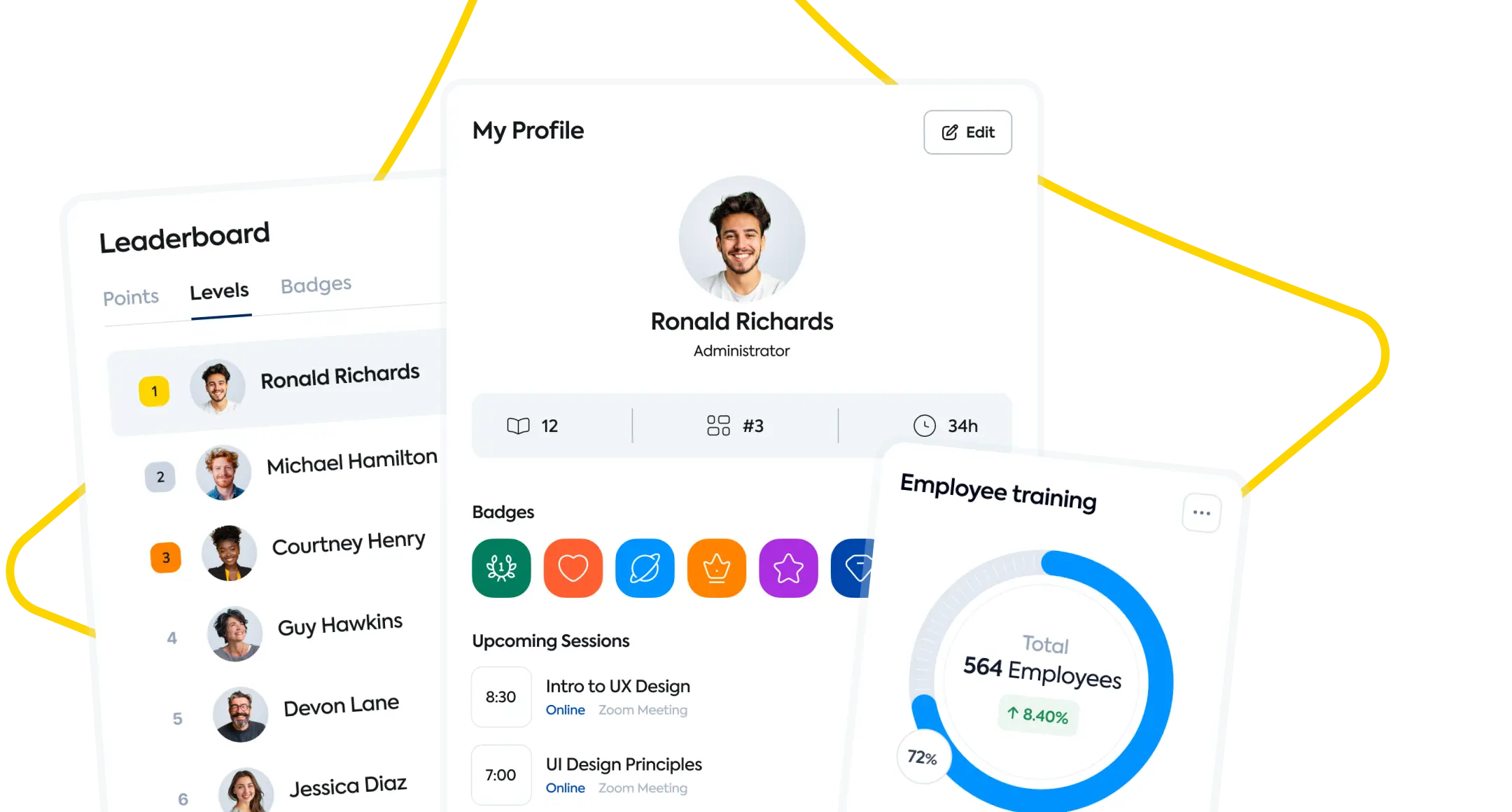
TalentLMS offers cloud training with course creation, learning paths and separate branches. Its public plans help teams compare capacity and feature allowances.
A focus to evaluate
Packaged cloud training with published plan options
SkyPrep’s take 360Learning fits teams turning internal expertise into peer learning. Demonstrate content export, enrollment administration and advanced editing before estimating ongoing staff time.
About this review sample
Selected G2 and Capterra reviews, chiefly from 2025–2026. Plan-specific complaints describe the reviewed configuration, not every subscription. Checked .
SkyPrep’s take Straightforward rollout is appealing, but confirm the support included in your plan and test reporting, branch administration, and translated content before committing.
About this review sample
Selected G2 and Capterra reviews from 2025–2026. This small qualitative sample includes incentivized feedback. Checked .
A look inside
Meet the interfaces.
Vendor-provided visuals, with their original sources.
Capabilities described in vendor materials. Check availability in the proposed plan.
360Learning compared with TalentLMS
What matters
360Learning
TalentLMS
Training audiences
Employee, frontline and external training programs.
Employees, customers and partners organized into branches.
Course creation
AI Content Builder supports subject-matter-expert course creation.
TalentCraft AI authoring; SCORM, xAPI and cmi5 imports.
Learning automation
HR-data-driven enrollment and automated compliance reporting.
Course assignment, user-management automations and learning paths.
Reporting & insights
Performance, usage and skill-gap insights.
Custom reports, analytics dashboards and exportable insights.
Integrations
HCM and HRIS connections, including Workday and BambooHR.
SSO, API, LTI 1.3 and business-app connections.
Learning experience
Collaborative learning on mobile and desktop.
Branded branches, course catalogs and online learning.
From features to fit
Which fits your team?
360Learning emphasizes Turning internal expertise into collaborative training. TalentLMS focuses on Packaged cloud training with published plan options. Use these as starting points for your evaluation.
Bring this to the demo
Ask 360Learning
Can an internal expert draft and update a course while our learning team controls approval and publication?
Plan who will create, approve and update expert-authored content.
Demonstrate the external-audience permissions and branding your organization requires.
Bring this to the demo
Ask TalentLMS
Which plan covers our number of branches, learning paths and seasonal learners without additional upgrades?
Check branch, learning-path and AI allowances on the exact plan you are considering.
Model your monthly active audience alongside your total registered users.
Run the same practical evaluation
Give both vendors one course, a sample learner group and the report your manager needs. Walk through setup, assignment, completion and reporting. Record required add-ons, administrator steps and unresolved requirements so your decision reflects a working training program.
Compare the complete scope
Pricing & implementation
360Learning
Request terms for your internal and external audiences and required capabilities.
TalentLMS
Published monthly and annual plans; user, branch and feature allowances vary by tier.
Compare equivalent learner counts, audience environments, authoring access, integrations, migration and support. Ask how seasonal usage and renewals affect the proposal. This guide does not substitute for a current vendor quote.
Questions for your shortlist
Let’s get specific.
Practical answers about these platforms and the training you need to run.
What drawbacks do reviewers mention about 360Learning?
A September 2025 Capterra reviewer reported difficult content export and manual monthly registrations on their initial basic subscription. A March 2026 Capterra reviewer wanted richer course editing, including animations integrated directly into text. A September 2025 G2 reviewer wanted group filters when selecting learners to add to a learning path. These are sampled experiences; test whether they apply to your current plan and workflow.
Is 360Learning a good fit when subject-matter experts create the training?
Expert-created collaborative learning is central to 360Learning’s positioning, and sampled reviewers praise accessible course creation and social interaction. It is worth evaluating when internal expertise changes frequently. Assign responsibility for review and updates, and demonstrate the approval workflow with an expert who will actually maintain a course.
What should we check before building all our content inside 360Learning?
A September 2025 reviewer reported difficulty exporting content. Export a representative course before committing to a large authoring effort, and ask what remains editable elsewhere. Distinguish course-file portability from learner-record exports; the review does not establish that every current content type has the same restriction.
Will 360Learning suit a team that needs highly customized interactive courses?
A March 2026 reviewer wanted richer editing, including animations integrated into text. Prototype the interaction and layout you need before deciding. The platform’s collaborative authoring strengths may be useful, but they do not by themselves establish that every desired design can be built natively.
What should a 360Learning administrator test when assigning learning paths to groups?
A September 2025 G2 reviewer wanted group filters when selecting learners for a path, while a Capterra reviewer described manual registrations on an initial basic subscription. Demonstrate a recurring cohort with your HR data and proposed package, and identify which enrollment steps remain manual.
What drawbacks do reviewers mention about TalentLMS?
A March 2026 Capterra reviewer found advanced reporting and learner-experience customization too basic for more complex training. An August 2026 Capterra reviewer reported difficulty getting live support on a lower subscription tier. Katrina L.’s April 2025 G2 review found some AI translations inaccurate and branch workflows awkward. These are sampled experiences; test whether they apply to your current plan and workflow.
Is TalentLMS suitable for launching a company’s first training program?
A March 2026 reviewer praised quick course setup and straightforward completion tracking. That is encouraging for a first rollout, but another reviewer reported difficulty getting live support on a lower tier. Choose a plan that covers both the training workflow and the help your administrator will need.
What should we check before adding branches or seasonal learners in TalentLMS?
Published plans have different user, branch and feature allowances. Model your busiest training month and the number of separate audiences you expect to manage. A sampled reviewer also found branch workflows awkward, so test moving learners and managing a branch before relying on the allowance alone.
Can we rely on TalentLMS AI translations without a language review?
One April 2025 G2 reviewer reported inaccurate AI translations. Treat that as a reason to validate your own content with a fluent reviewer, especially instructions and assessments. Check the current authoring workflow and plan allowances; a single review does not establish the accuracy of every translation.
When might a TalentLMS reporting demo be especially important?
A March 2026 reviewer found advanced reporting and learner-experience customization too basic for their more complex needs. If managers need detailed cross-branch analysis, bring the actual report layout and filters. Evaluate current output and export options rather than assuming standard completion tracking covers that requirement.
360Learning vs TalentLMS: which is the better fit for our team?
360Learning focuses on turning internal expertise into collaborative training. TalentLMS focuses on packaged cloud training with published plan options. Choose based on the workflow your administrators can sustain: run the same course setup, enrollment and reporting task in each demo, then compare the required staff time and licensed products.
360Learning vs TalentLMS: which should we choose when internal experts need to create and update training?
360Learning: 360Learning emphasizes collaborative authoring by internal experts, with reviewer praise for accessible creation and social interaction. A sampled request for richer editing makes a real course prototype important.
TalentLMS: TalentLMS combines TalentCraft authoring with imported learning content. A reviewer’s AI-translation concerns make human review of your sample language versions a useful acceptance step.
For frequent expert-led updates, prioritize an approachable creation and review workflow. If your need is polished interactive content or ready-made courses, prototype the required format and check library and authoring licenses separately.
360Learning vs TalentLMS: which is more practical for a small team without a dedicated LMS administrator?
360Learning: 360Learning has praise for straightforward content uploads and tracking, but sampled reviewers describe cohort-selection friction and manual registrations on an initial subscription. Rehearse a recurring enrollment task.
TalentLMS: TalentLMS has reviewer praise for quick setup and simple completion tracking. Include support access in the comparison, since a sampled lower-tier customer reported difficulty getting live help.
Compare the time needed to build, assign, update and report on one real course. Favor the workflow your team can maintain, and include the support entitlement and implementation guidance in the quote.
360Learning vs TalentLMS: what should we check when replacing an LMS or moving a course library?
360Learning: A 360Learning reviewer reported difficult content export. For a team building a large course library, test portability at the start as well as the initial content import.
TalentLMS: TalentCraft AI authoring; SCORM, xAPI and cmi5 imports. SSO, API, LTI 1.3 and business-app connections.
Test both directions: import a sample with historical completions, then export the content and learner records you would need to leave. An integration or authoring feature does not establish full migration support or editable course exports; agree on formats, cleanup and service costs.
360Learning vs TalentLMS: which is a better fit for customer education or a multi-partner training program?
360Learning: Employee, frontline and external training programs. Collaborative learning on mobile and desktop.
TalentLMS: TalentLMS organizes audiences into branches with plan-specific allowances. A reviewer found branch workflows awkward, making a real partner-administration exercise more useful than a branch-count comparison alone.
For separate partner organizations, prioritize delegated access, branding and reporting boundaries. For education inside a customer-facing product, test authentication and the embedded learner experience. Price the actual number of audiences and the work needed to maintain them.
Which costs less for our use case: 360Learning or TalentLMS?
360Learning: Request terms for your internal and external audiences and required capabilities.
TalentLMS: Published monthly and annual plans; user, branch and feature allowances vary by tier.
There is no verified like-for-like price winner in this guide. Compare the same learner activity, authoring, live-training features, portals, integrations, migration and support. Include administrator time and renewal terms; a broad feature list is poor value if you pay for capabilities you will not use.
When should we consider SkyPrep alongside 360Learning and TalentLMS?
SkyPrep is worth a demo when a lean training team prioritizes approachable administration and helpful support. Sampled reviewers praise those qualities, while also asking for more reporting flexibility and smoother bulk administration. Bring your actual enrollment, reporting and live-training workflow to the demo, and compare the complete quote before deciding.
Published by SkyPrep, an LMS provider. Product facts come from official documentation. Review observations summarize selected individual G2 and Capterra reviews available in public search results, including some vendor-invited or incentivized reviews. This is a qualitative sample, not a representative survey, independent rating or hands-on test. Older complaints may not describe the current product.
Our recommendations and evaluation questions are editorial guidance. Review feedback describes individual experiences, not proof that a capability is absent. Confirm plan availability and requirements with each vendor. Citations appear beside the relevant observations and FAQ answers.