Compare Absorb LMS and iSpring Learn across training audiences, course creation, automation and reporting. Use the differences to shape your next demo.
By LMSAdvice · Published by SkyPrep · Updated ·Our sources
The quick comparison
At a glance
Ab
Absorb LMS
Absorb brings employee development, compliance and external training into one learning platform, with authoring, commerce and integration capabilities.
A focus to evaluate
Branded training for employees, customers and partners
iSpring Learn is now branded iSpring LMS. It supports employee onboarding, compliance and development with learning tracks, knowledge resources and practical assessment tools.
SkyPrep’s take Absorb combines approachable daily use with substantial training capabilities. Test migration, enrollment audit trails and notification rules using your own workflow to estimate setup effort.
About this review sample
Selected G2 and Capterra reviews, primarily from 2026. Several were vendor-invited or incentivized; Absorb Create comments concern its authoring product. Checked .
SkyPrep’s take Useful for teams seeking approachable course administration; validate the exact reports you need and model billable activity against your learner login patterns.
About this review sample
Selected G2 and Capterra reviews from 2025–2026 for the product now called iSpring LMS. Separate iSpring Suite authoring complaints were excluded. Checked .
A look inside
Meet the interfaces.
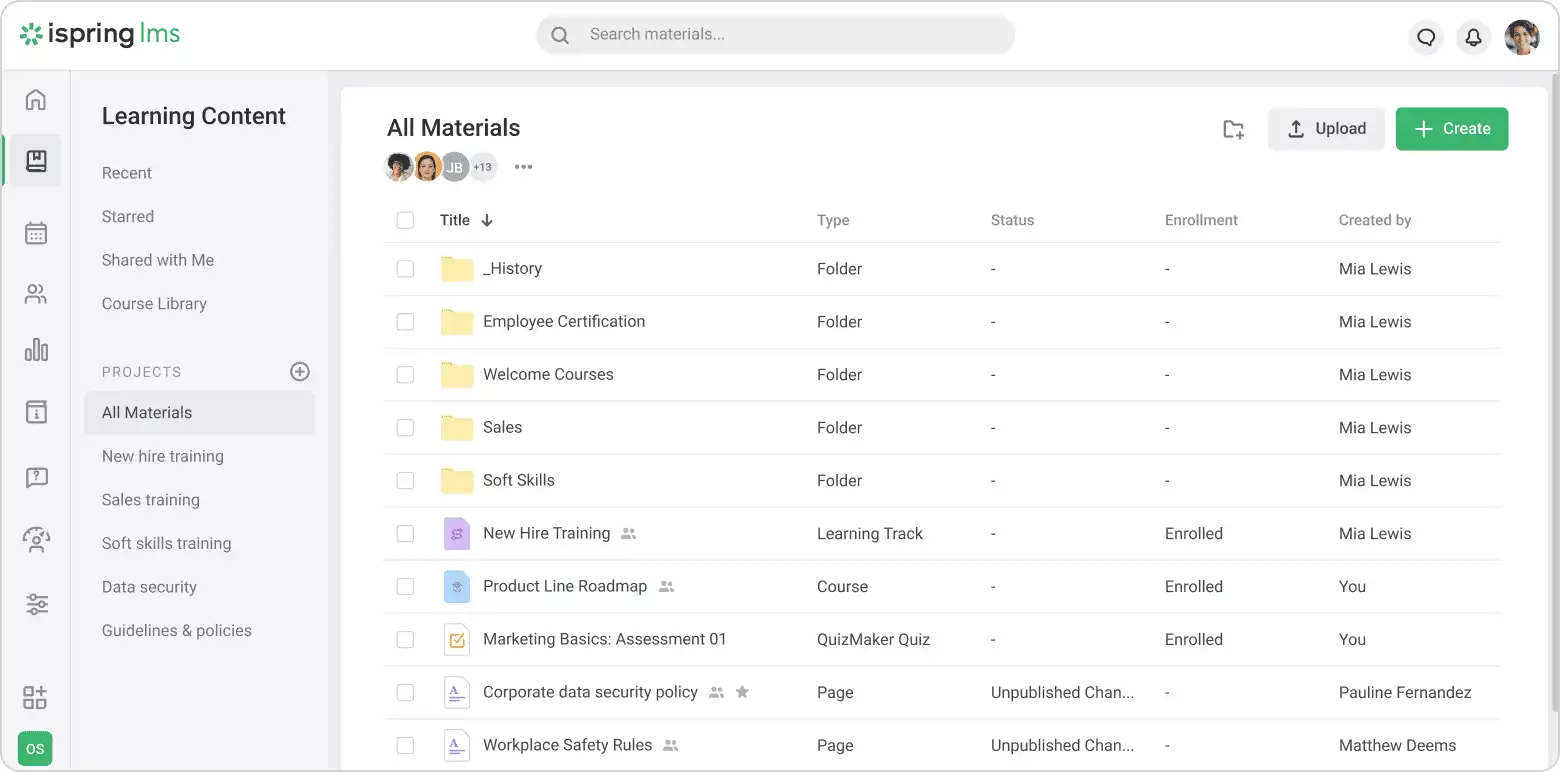
Vendor-provided visuals, with their original sources.
Course development with iSpring AI and access to the iSpring authoring ecosystem.
Learning automation
Role-based assignments, reminders and skills-oriented recommendations.
Automatic enrollment and certification renewal workflows.
Reporting & insights
Custom performance and completion reporting.
Training reports and observation checklists for practical assessment.
Integrations
HR and CRM connectors, plus APIs for custom connections.
Connectors include Salesforce, Microsoft Azure and BambooHR.
Learning experience
Branded portals, personalized learning and course commerce.
Learning tracks, a knowledge base and individual development plans.
From features to fit
Which fits your team?
Absorb LMS emphasizes Branded training for employees, customers and partners. iSpring Learn focuses on Employee onboarding, assessment and development. Use these as starting points for your evaluation.
Bring this to the demo
Ask Absorb LMS
Can a partner administrator manage only their own learners, and can we report across all partner portals?
Ask which authoring, analytics and integration products are included in your quote.
Demonstrate how separate partner audiences and their administrators are managed.
Bring this to the demo
Ask iSpring Learn
Can we combine a course, a supervisor observation and a renewal requirement in one employee learning track?
Use the current iSpring LMS plans when evaluating the product formerly called iSpring Learn.
Ask which authoring tools and content libraries require separate licenses.
Run the same practical evaluation
Give both vendors one course, a sample learner group and the report your manager needs. Walk through setup, assignment, completion and reporting. Record required add-ons, administrator steps and unresolved requirements so your decision reflects a working training program.
Compare the complete scope
Pricing & implementation
Absorb LMS
Request a tailored quote and confirm which products and services it includes.
iSpring Learn
Published user-based business pricing and enterprise options; confirm the applicable product and plan.
Compare equivalent learner counts, audience environments, authoring access, integrations, migration and support. Ask how seasonal usage and renewals affect the proposal. This guide does not substitute for a current vendor quote.
Questions for your shortlist
Let’s get specific.
Practical answers about these platforms and the training you need to run.
What drawbacks do reviewers mention about Absorb LMS?
Some administrators report that migration and detailed configuration take more time and coordination than expected. A reviewer found report-setup controls fiddly; another wanted more insight into who changed enrollments and how deleted enrollments are tracked. One administrator reported limits on automated-email customization and missing learner notifications for observation-checklist feedback. These are sampled experiences; test whether they apply to your current plan and workflow.
How much preparation should we allow when migrating to Absorb LMS?
Reviews include praise for implementation support and smooth transitions, alongside reports of time-consuming migration and configuration. Plan a sample import covering users, historical completions and course assignments. Agree who resolves mismatched records and which migration services are included before setting a launch date.
What should an administrator check in Absorb LMS enrollment reports?
One reviewer wanted more visibility into enrollment changes and deleted enrollments; another found report setup fiddly. Demonstrate an enrollment change, a deletion and the resulting history with your own reporting roles. That establishes whether the current configuration preserves the evidence your team needs.
Is Absorb LMS worth considering for multilingual, role-based training?
A G2 reviewer valued combining external content into role-based curricula and using Absorb Create for multilingual training. Test a representative course in each required language, including the review process and learner experience. Confirm that the authoring product and necessary services are included in the quote.
Will Absorb LMS notify learners about observation-checklist feedback?
A sampled administrator reported missing learner notifications for observation-checklist feedback and limited automated-email customization. Run a supervisor feedback exercise and inspect what the learner actually receives. Confirm the current notification options rather than assuming every checklist update triggers a useful message.
What drawbacks do reviewers mention about iSpring Learn?
Capterra reviewers asked for more complex reporting and easier customization of learning-history reports. A June 2026 Capterra reviewer said accidental logins could consume licensed capacity, making account governance important. These are sampled experiences; test whether they apply to your current plan and workflow.
Is iSpring Learn worth considering for onboarding that includes supervisor observations?
The current product, iSpring LMS, lists observation checklists alongside training reports and learning tracks. That is relevant when online completion is only one part of onboarding. Demonstrate a course, supervisor observation and renewal together, including the manager’s report and the permissions required to sign off.
What should we check in iSpring Learn when employees repeat training?
Reviewers asked for more complex reporting and easier customization of learning-history reports. Model an employee with several completions and a renewed certification, then ask for the report your manager needs. Confirm what is visible in the proposed product before relying on a standard completion summary.
How can occasional or accidental logins affect an iSpring training budget?
A June 2026 reviewer said accidental logins could consume licensed capacity. Ask how the current proposal counts users and what happens when an inactive employee signs in. Model seasonal and occasional learners explicitly; the review is a budgeting prompt, not proof of the terms in your contract.
Does buying iSpring Learn automatically include every iSpring authoring tool?
Confirm that in the proposal. The LMS is now branded iSpring LMS, while iSpring also has an authoring ecosystem. Identify the tools used to create and update your courses and ask which licenses or content subscriptions are separate. Do not substitute an authoring-product review for evidence about the LMS.
Absorb LMS vs iSpring Learn: which is the better fit for our team?
Absorb LMS focuses on branded training for employees, customers and partners. iSpring Learn focuses on employee onboarding, assessment and development. Choose based on the workflow your administrators can sustain: run the same course setup, enrollment and reporting task in each demo, then compare the required staff time and licensed products.
Absorb LMS vs iSpring Learn: what should we check when replacing an LMS or moving a course library?
Absorb LMS: Absorb LMS reviewers praise migration support, but others describe lengthy configuration. The decision turns on who prepares records, tests the import and owns cleanup after launch.
iSpring Learn: Course development with iSpring AI and access to the iSpring authoring ecosystem. Connectors include Salesforce, Microsoft Azure and BambooHR.
Test both directions: import a sample with historical completions, then export the content and learner records you would need to leave. An integration or authoring feature does not establish full migration support or editable course exports; agree on formats, cleanup and service costs.
Absorb LMS vs iSpring Learn: which should we evaluate for recurring certifications and employee retraining?
Absorb LMS: Role-based assignments, reminders and skills-oriented recommendations. Custom performance and completion reporting.
iSpring Learn: iSpring Learn, now iSpring LMS, lists automatic enrollment and certification renewal, with practical-assessment checklists. Test the combined course, observation and renewal record rather than completion alone.
Run an initial completion, an expiry, a course revision and a renewal. Confirm reminders, manager visibility and preservation of earlier evidence. Where practical sign-off matters, demonstrate that alongside online completion; an LMS workflow alone does not establish competency or regulatory compliance.
Absorb LMS vs iSpring Learn: which is a better fit for customer education or a multi-partner training program?
Absorb LMS: Absorb LMS supports branded training for customers, partners and course buyers. Demonstrate delegated administration and audience-specific reporting with an actual partner organization.
iSpring Learn: Employee onboarding, compliance and ongoing development. Learning tracks, a knowledge base and individual development plans.
For separate partner organizations, prioritize delegated access, branding and reporting boundaries. For education inside a customer-facing product, test authentication and the embedded learner experience. Price the actual number of audiences and the work needed to maintain them.
Absorb LMS vs iSpring Learn: which will better support managers who need detailed training reports?
Absorb LMS: Absorb LMS provides custom reporting, but sampled reviewers describe awkward report controls and questions about enrollment-change history. Include those events in the reporting trial.
iSpring Learn: iSpring Learn reviewers praise clear completion reporting but request more complex and customizable history reports. Repeat-training records are a useful test of whether the reporting matches your needs.
Bring the same report layout, filters and historical records to both demos. Have the intended administrator produce it and give a manager the right access. Compare recurring manual work and any analytics add-ons, not just the appearance of a prepared dashboard.
Which costs less for our use case: Absorb LMS or iSpring Learn?
Absorb LMS: Request a tailored quote and confirm which products and services it includes.
iSpring Learn: Published user-based business pricing and enterprise options; confirm the applicable product and plan.
There is no verified like-for-like price winner in this guide. Compare the same learner activity, authoring, live-training features, portals, integrations, migration and support. Include administrator time and renewal terms; a broad feature list is poor value if you pay for capabilities you will not use.
When should we consider SkyPrep alongside Absorb LMS and iSpring Learn?
SkyPrep is worth a demo when a lean training team prioritizes approachable administration and helpful support. Sampled reviewers praise those qualities, while also asking for more reporting flexibility and smoother bulk administration. Bring your actual enrollment, reporting and live-training workflow to the demo, and compare the complete quote before deciding.
Published by SkyPrep, an LMS provider. Product facts come from official documentation. Review observations summarize selected individual G2 and Capterra reviews available in public search results, including some vendor-invited or incentivized reviews. This is a qualitative sample, not a representative survey, independent rating or hands-on test. Older complaints may not describe the current product.
Our recommendations and evaluation questions are editorial guidance. Review feedback describes individual experiences, not proof that a capability is absent. Confirm plan availability and requirements with each vendor. Citations appear beside the relevant observations and FAQ answers.