Compare Adobe Learning Manager and Cornerstone across training audiences, course creation, automation and reporting. Use the differences to shape your next demo.
By LMSAdvice · Published by SkyPrep · Updated ·Our sources
The quick comparison
At a glance
Ad
Adobe Learning Manager
Adobe Learning Manager combines learner management, content delivery and analytics with personalized experiences for enterprise learning programs.
A focus to evaluate
Personalized learning within a wider digital experience
SkyPrep’s take Adobe Learning Manager deserves a look for structured learning paths and team-specific administration. Validate reporting, mobile administration and the full quote against your daily workload and budget.
About this review sample
Selected 2023–2026 Adobe Learning Manager reviews, including a Capterra trial user. Comments about the separate Captivate authoring product were excluded. Checked .
SkyPrep’s take Cornerstone's breadth can suit complex training operations. Include administrator training and ongoing configuration time in the business case, and demonstrate your reporting workflow before selecting it.
About this review sample
Cornerstone LMS/Learning reviews only: recent Capterra evidence plus older G2 experiences. Older complaints may not describe the current release. Checked .
A look inside
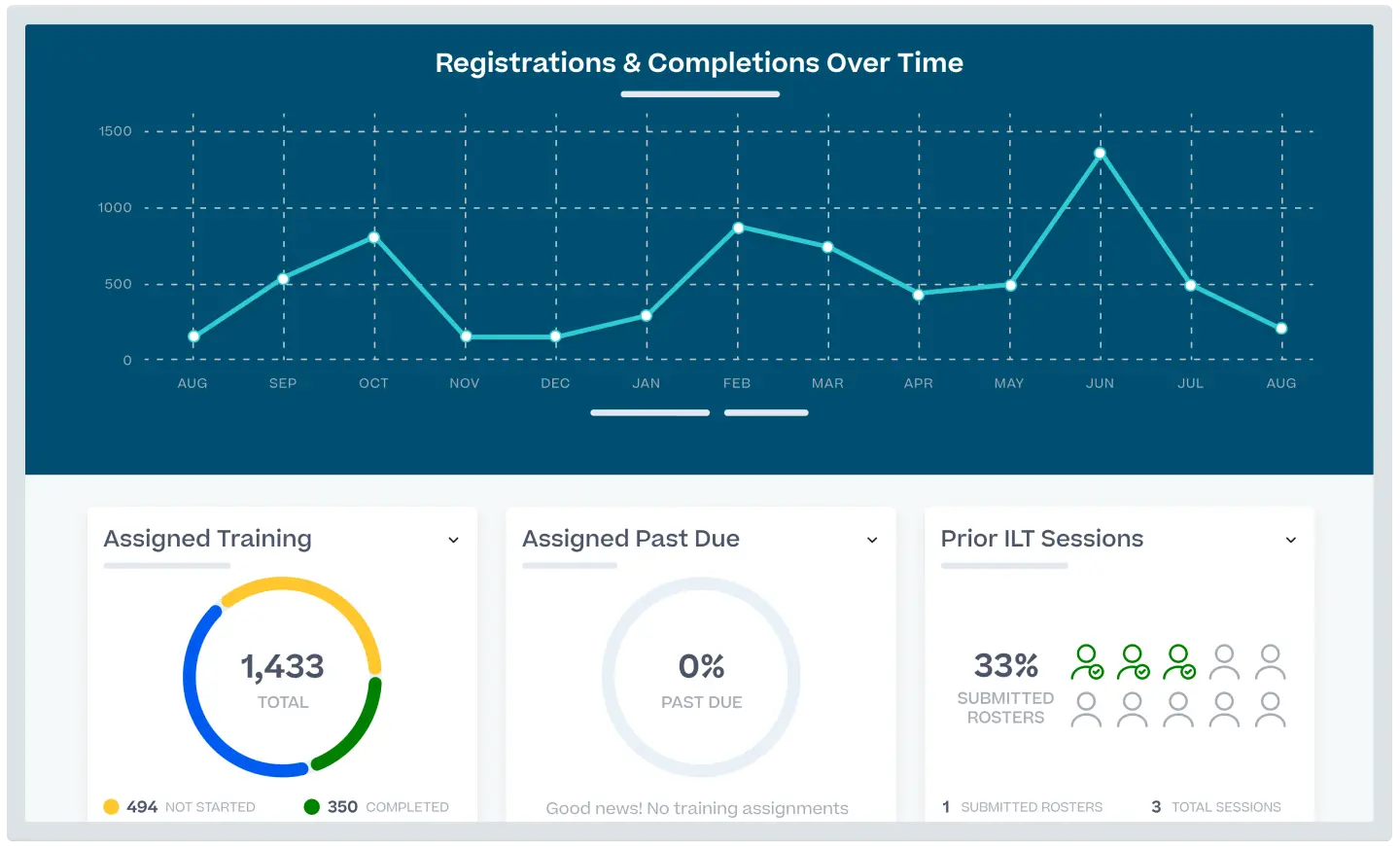
Meet the interfaces.
Vendor-provided visuals, with their original sources.
Capabilities described in vendor materials. Check availability in the proposed plan.
Adobe Learning Manager compared with Cornerstone
What matters
Adobe Learning Manager
Cornerstone
Training audiences
Enterprise training and external learning experiences.
Employees, partners and customers.
Course creation
Content creation and direct publication within Adobe's learning platform.
Centralized content management, version control and content workflows.
Learning automation
Enrollment, learning programs and certification management.
Automated assignments, learning paths and compliance tracking.
Reporting & insights
Learning analytics and reporting, including conversational insights.
Customizable dashboards, skill-gap insights and audit tracking.
Integrations
Microsoft Teams, Salesforce and existing digital experiences.
Connectors and APIs for HRIS, virtual training and content providers.
Learning experience
Role-based portals, recommendations and an embeddable Fluidic player.
Personalized paths and mobile learning.
From features to fit
Which fits your team?
Adobe Learning Manager emphasizes Personalized learning within a wider digital experience. Cornerstone focuses on Workforce development and compliance at organizational scale. Use these as starting points for your evaluation.
Bring this to the demo
Ask Adobe Learning Manager
Can learners complete and track our content inside our existing website with the required authentication?
Define where learners should access training: a portal, an application or an existing website.
Have the vendor identify all products and integration work needed for that experience.
Bring this to the demo
Ask Cornerstone
Can managers and auditors access the evidence they need without exposing unrelated employee data?
Scope the LMS separately from other workforce products in the vendor ecosystem.
Validate your reporting hierarchy and audit evidence with a realistic data sample.
Run the same practical evaluation
Give both vendors one course, a sample learner group and the report your manager needs. Walk through setup, assignment, completion and reporting. Record required add-ons, administrator steps and unresolved requirements so your decision reflects a working training program.
Compare the complete scope
Pricing & implementation
Adobe Learning Manager
Request a quote and confirm the licensing model, integrations and companion products.
Cornerstone
Request a scoped quote for the LMS and any additional workforce products.
Compare equivalent learner counts, audience environments, authoring access, integrations, migration and support. Ask how seasonal usage and renewals affect the proposal. This guide does not substitute for a current vendor quote.
Questions for your shortlist
Let’s get specific.
Practical answers about these platforms and the training you need to run.
What drawbacks do reviewers mention about Adobe Learning Manager?
A 2026 G2 reviewer found the cost difficult to justify despite appreciating the Teams connection. Some administrators described ramp-up time and difficulty finding the report they needed within the platform's broad functionality. A Capterra trial user wanted better access to administration and analytics on mobile; test the exact mobile workflow you need. These are sampled experiences; test whether they apply to your current plan and workflow.
Should we consider Adobe Learning Manager for training inside an existing website?
Adobe positions its embeddable Fluidic player and personalized portals for learning within a wider digital experience. Demonstrate course access, authentication and tracking in your actual website. Ask the vendor to identify every companion product and integration task required to deliver that experience.
Does a Microsoft Teams connection make Adobe Learning Manager the best choice for us?
Reviewers value Teams connectivity, but a 2026 G2 reviewer still found the cost difficult to justify. Evaluate the full training workflow and quote, including reporting and administration. One useful integration should be weighed against how much of the rest of the platform your team will use.
Can a manager run Adobe Learning Manager entirely from a phone?
A Capterra trial user wanted better mobile access to administration and analytics. Test the exact manager tasks and reports on the devices your team uses before committing to a phone-based workflow. A learner’s mobile experience does not establish that every administrator task works equally well there.
Can Adobe Learning Manager reduce requests for learner transcripts?
Sampled G2 reviewers highlight learner self-service transcripts, which may help when administrators frequently field record requests. Demonstrate what the learner can retrieve and whether the output meets your organization’s needs. Also test the administrator’s reporting workflow, where some reviewers described ramp-up time and difficulty finding reports.
What drawbacks do reviewers mention about Cornerstone?
Administrators describe a learning curve, and a recent reviewer found observation-checklist setup involved too many steps. A 2025 administrator reported that deeper settings still used an older interface and found content-creation tools limited. Some reviewers found reporting confusing or difficult for beginners, despite valuing its breadth. These are sampled experiences; test whether they apply to your current plan and workflow.
When is Cornerstone worth evaluating for a complex organization?
Cornerstone offers configurable learning, content workflows and compliance tracking, and reviewers value its breadth. That can matter when teams have different curricula and evidence requirements. Demonstrate your reporting hierarchy and permissions, and include the ongoing administrator workload in the decision.
How much administrator training should we plan for Cornerstone?
Sampled administrators describe a learning curve, and one recent reviewer found observation-checklist setup involved too many steps. Have your future administrator configure a real checklist and learning path without a scripted demo. Use that exercise to scope implementation guidance and ongoing staff time.
What should we test in Cornerstone before relying on it for audit reporting?
Cornerstone lists customizable dashboards and audit tracking, and a reviewer valued traceability in a regulated setting. Other reviewers found reporting difficult for beginners. Reproduce a specific evidence request with the intended auditor and manager permissions; platform capabilities alone do not guarantee that your process meets a regulation.
Should a Cornerstone buyer also evaluate a separate authoring workflow?
A 2025 administrator found content-creation tools limited, while Cornerstone’s positioning includes content management and governance. Ask the vendor to build and revise your intended course, then identify any companion tools or licenses. Managing course versions and creating the course itself are different evaluation tasks.
Adobe Learning Manager vs Cornerstone: which is the better fit for our team?
Adobe Learning Manager focuses on personalized learning within a wider digital experience. Cornerstone focuses on workforce development and compliance at organizational scale. Choose based on the workflow your administrators can sustain: run the same course setup, enrollment and reporting task in each demo, then compare the required staff time and licensed products.
Adobe Learning Manager vs Cornerstone: which fits training connected to our HR system, CRM or customer application?
Adobe Learning Manager: Adobe Learning Manager lists Teams, Salesforce and embedded learning experiences. Reviewers value Teams connectivity, but one still questioned the cost; evaluate the complete workflow and integration scope.
Cornerstone: Connectors and APIs for HRIS, virtual training and content providers. Personalized paths and mobile learning.
Test a new user, a role change and a completion flowing between the actual systems. For embedded learning, include authentication and the learner’s in-product experience. Identify the required licenses, implementation owner and ongoing connector maintenance in each proposal.
Adobe Learning Manager vs Cornerstone: which is better suited to departments with different managers and access rules?
Adobe Learning Manager: Enterprise training and external learning experiences. Role-based portals, recommendations and an embeddable Fluidic player.
Cornerstone: Cornerstone emphasizes configurable content workflows and audit tracking. Its breadth suits evaluation of complex requirements, but sampled administrators describe a learning curve and multi-step setup.
Model a department manager, a central administrator and an external training partner. Test who can assign courses, edit content and view records, including after a learner transfers teams. More configuration is useful only if it enforces the boundaries you need at an acceptable administration cost.
Adobe Learning Manager vs Cornerstone: which will better support managers who need detailed training reports?
Adobe Learning Manager: Adobe Learning Manager reviewers appreciate self-service transcripts while some describe report-discovery and administrator ramp-up concerns. Test both the learner’s record request and the manager’s reporting task.
Cornerstone: Cornerstone reviewers value reporting breadth and traceability, while some find the tools difficult for beginners. Ask a future administrator to produce the audit evidence under realistic access restrictions.
Bring the same report layout, filters and historical records to both demos. Have the intended administrator produce it and give a manager the right access. Compare recurring manual work and any analytics add-ons, not just the appearance of a prepared dashboard.
Adobe Learning Manager vs Cornerstone: which is a better fit for customer education or a multi-partner training program?
Adobe Learning Manager: Adobe Learning Manager’s embeddable player and personalized portals are relevant when external learning belongs inside an existing digital experience. Specify authentication and implementation responsibilities in the quote.
Cornerstone: Employees, partners and customers. Personalized paths and mobile learning.
For separate partner organizations, prioritize delegated access, branding and reporting boundaries. For education inside a customer-facing product, test authentication and the embedded learner experience. Price the actual number of audiences and the work needed to maintain them.
Which costs less for our use case: Adobe Learning Manager or Cornerstone?
Adobe Learning Manager: Request a quote and confirm the licensing model, integrations and companion products.
Cornerstone: Request a scoped quote for the LMS and any additional workforce products.
There is no verified like-for-like price winner in this guide. Compare the same learner activity, authoring, live-training features, portals, integrations, migration and support. Include administrator time and renewal terms; a broad feature list is poor value if you pay for capabilities you will not use.
When should we consider SkyPrep alongside Adobe Learning Manager and Cornerstone?
SkyPrep is worth a demo when a lean training team prioritizes approachable administration and helpful support. Sampled reviewers praise those qualities, while also asking for more reporting flexibility and smoother bulk administration. Bring your actual enrollment, reporting and live-training workflow to the demo, and compare the complete quote before deciding.
Published by SkyPrep, an LMS provider. Product facts come from official documentation. Review observations summarize selected individual G2 and Capterra reviews available in public search results, including some vendor-invited or incentivized reviews. This is a qualitative sample, not a representative survey, independent rating or hands-on test. Older complaints may not describe the current product.
Our recommendations and evaluation questions are editorial guidance. Review feedback describes individual experiences, not proof that a capability is absent. Confirm plan availability and requirements with each vendor. Citations appear beside the relevant observations and FAQ answers.