Litmos combines a learning management system, content authoring and training libraries for employee onboarding, customer education and partner enablement.
A focus to evaluate
Learning management paired with authoring and content libraries
SkyPrep’s take A credible option for organized training; test delegated administration before buying, because permission granularity and everyday settings changes can affect ongoing staff workload.
About this review sample
Selected June and September 2026 reviews. Older reporting complaints were excluded after a documented reporting update. Checked .
SkyPrep’s take Litmos merits consideration for routine employee training. Ask for demonstrations of your required exports and course-editing tasks, and include any reporting cleanup in the ownership-cost comparison.
About this review sample
Selected G2 and Capterra reviews from 2023–2025. Older authoring experiences should be checked against the current product. Checked .
A look inside
Meet the interfaces.
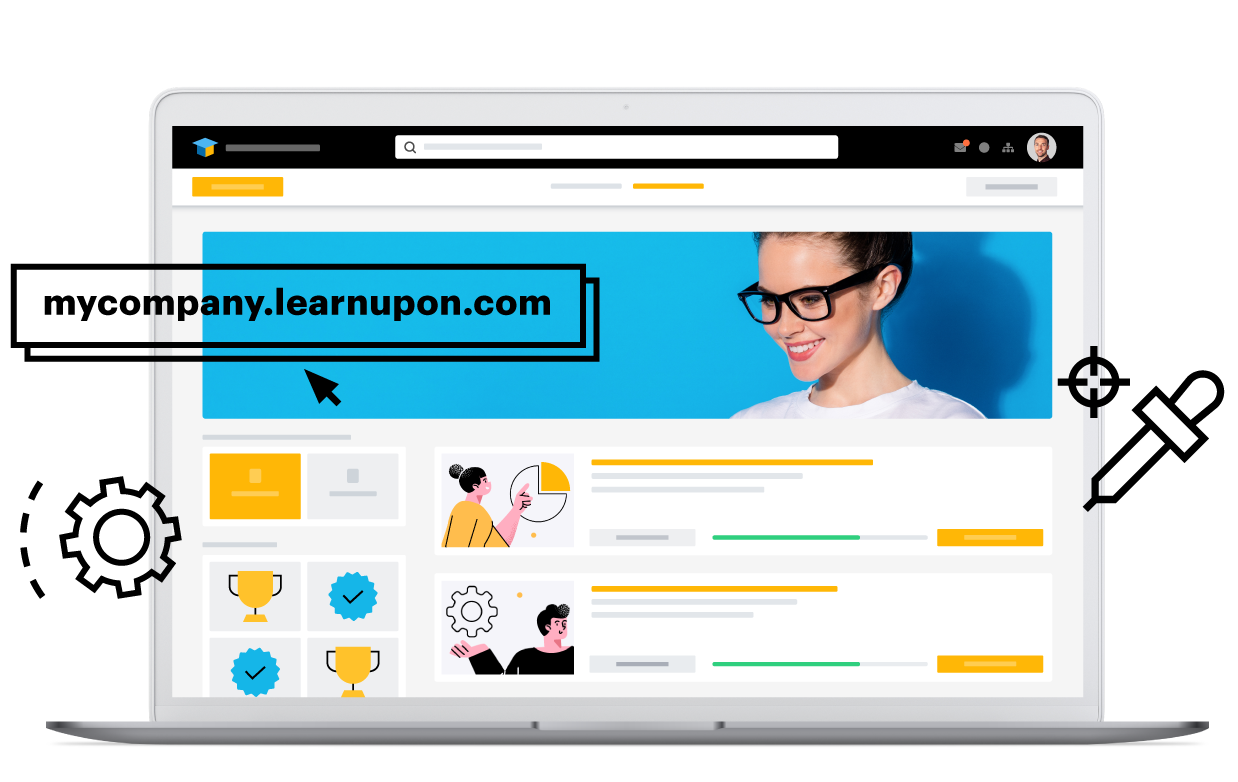
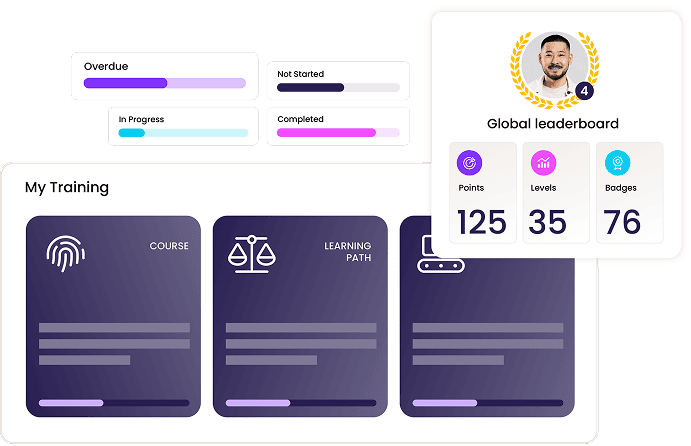
Vendor-provided visuals, with their original sources.
Capabilities described in vendor materials. Check availability in the proposed plan.
LearnUpon compared with Litmos
What matters
LearnUpon
Litmos
Training audiences
Employees, customers and associations through learning portals.
Employees, customers, partners and compliance programs.
Course creation
Create+ provides AI-assisted authoring.
Course authoring and prebuilt training libraries.
Learning automation
Dynamic learning journeys and platform automation.
Confirm the enrollment and recurring-training workflows required by your program.
Reporting & insights
Learning analytics and reporting across training programs.
Evaluate reporting and data-service requirements in the proposed package.
Integrations
API and business integrations; embedded customer learning through LearnUpon Anywhere.
A dedicated integrations offering connects learning to other systems.
Learning experience
Separate learning environments and personalized learning journeys.
Training programs supported by content libraries and expert services.
From features to fit
Which fits your team?
LearnUpon emphasizes Distinct learning portals for different audiences. Litmos focuses on Learning management paired with authoring and content libraries. Use these as starting points for your evaluation.
Bring this to the demo
Ask LearnUpon
How do we share a course across portals while keeping branding, permissions and reporting separate?
Confirm portal allowances and the administrator permissions available across them.
Specify whether embedded learning and authoring are part of the proposed package.
Bring this to the demo
Ask Litmos
Which required courses are included, and how are course updates and completions handled at renewal?
Review the actual course catalog for your languages, roles and regional requirements.
Separate content-library licensing from the LMS and implementation services in your quote.
Run the same practical evaluation
Give both vendors one course, a sample learner group and the report your manager needs. Walk through setup, assignment, completion and reporting. Record required add-ons, administrator steps and unresolved requirements so your decision reflects a working training program.
Compare the complete scope
Pricing & implementation
LearnUpon
Request a quote matched to your learning audiences and requirements.
Litmos
Compare a vendor proposal for the LMS, content libraries and services you need.
Compare equivalent learner counts, audience environments, authoring access, integrations, migration and support. Ask how seasonal usage and renewals affect the proposal. This guide does not substitute for a current vendor quote.
Questions for your shortlist
Let’s get specific.
Practical answers about these platforms and the training you need to run.
What drawbacks do reviewers mention about LearnUpon?
A June 2026 Capterra reviewer said the available permissions did not provide the restricted admin access their staff structure required. Another June 2026 Capterra reviewer described backtracking between settings screens to make a single change. These are sampled experiences; test whether they apply to your current plan and workflow.
Can LearnUpon give each customer its own training administrator?
LearnUpon organizes audiences through learning portals, but a June 2026 reviewer said available permissions did not match their restricted-admin needs. Ask a customer administrator to assign a shared course and view only their learners. Confirm the exact access boundaries and portal allowance in the proposal.
Should a software company consider LearnUpon for customer education inside its product?
LearnUpon Anywhere is positioned for embedded customer learning. It is worth evaluating when sending customers to a separate training portal creates friction. Demonstrate authentication, course access and completion tracking inside your actual product, and confirm that the embedded experience is included in the package.
What should a small LearnUpon administration team try during a demo?
Reviews praise intuitive course creation and support, while one administrator described backtracking between settings screens for a single change. Have the person who will run training create a course, adjust access and update a learning journey. Count the ongoing administration steps as well as the initial setup.
What happens when a learner joins LearnUpon live training as a Teams guest?
LearnUpon documents automatic attendance for Teams and Zoom, but Teams guests are not automatically marked attended. Demonstrate account matching and manual corrections with a visiting learner. This matters when customers or temporary staff join sessions using accounts outside your organization.
An October 2025 G2 reviewer reported substantial manual effort to obtain the reporting results they needed; another found custom reports difficult to navigate. A May 2023 Capterra reviewer found authoring fonts and sizing restrictive and some assessment layouts difficult to manipulate. These are sampled experiences; test whether they apply to your current plan and workflow.
Can Litmos help a small team launch training without writing every course?
Litmos offers training libraries alongside its LMS, and a sampled reviewer found the library met most of their general training needs. Inspect the actual courses for your roles, languages and region. Separate library licensing from LMS access and ask how updates and existing completions are handled at renewal.
What should we validate if Litmos reports will drive management decisions?
Sampled G2 reviewers described manual effort and difficulty navigating custom reports. Build one real management report during evaluation, including filters, historical records and delivery to its intended audience. Confirm the products and services needed to produce it repeatedly, rather than assessing only a prepared dashboard.
Is Litmos authoring suitable for tightly branded course designs?
A May 2023 reviewer found fonts, sizing and some assessment layouts restrictive. That is an older experience, so test the current editor with your brand template and required assessment. Confirm whether the result can be maintained in the included authoring tools or needs another workflow.
Can Litmos combine self-paced onboarding with live practice and follow-up?
Litmos describes a blended workflow connecting pre-work, live instruction, assessments and follow-up. Demonstrate that sequence with your own onboarding course, including attendance and completion reporting. The useful comparison is whether managers can act on the complete record without rebuilding it manually.
LearnUpon vs Litmos: which is the better fit for our team?
LearnUpon focuses on distinct learning portals for different audiences. Litmos focuses on learning management paired with authoring and content libraries. Choose based on the workflow your administrators can sustain: run the same course setup, enrollment and reporting task in each demo, then compare the required staff time and licensed products.
LearnUpon vs Litmos: which is a better fit for customer education or a multi-partner training program?
LearnUpon: LearnUpon’s portals and embedded Anywhere offering make it relevant to customer education. Confirm portal allowances, embedded-learning scope and the administrator permissions each customer will receive.
Litmos: Employees, customers, partners and compliance programs. Training programs supported by content libraries and expert services.
For separate partner organizations, prioritize delegated access, branding and reporting boundaries. For education inside a customer-facing product, test authentication and the embedded learner experience. Price the actual number of audiences and the work needed to maintain them.
Litmos: Litmos pairs authoring with prebuilt training libraries, potentially reducing how much general content a team writes. Check catalog relevance and prototype branded assessments in the current editor.
For frequent expert-led updates, prioritize an approachable creation and review workflow. If your need is polished interactive content or ready-made courses, prototype the required format and check library and authoring licenses separately.
LearnUpon vs Litmos: which is better suited to departments with different managers and access rules?
LearnUpon: LearnUpon has separate learning environments, but a sampled reviewer could not achieve the restricted admin access their staffing structure needed. Test access with actual delegated roles.
Litmos: Employees, customers, partners and compliance programs. Training programs supported by content libraries and expert services.
Model a department manager, a central administrator and an external training partner. Test who can assign courses, edit content and view records, including after a learner transfers teams. More configuration is useful only if it enforces the boundaries you need at an acceptable administration cost.
LearnUpon vs Litmos: which will better support managers who need detailed training reports?
LearnUpon: Learning analytics and reporting across training programs.
Litmos: Litmos reviewers report custom-report navigation and manual reporting effort as concerns. A repeatable management report should be an acceptance requirement for the proposed package.
Bring the same report layout, filters and historical records to both demos. Have the intended administrator produce it and give a manager the right access. Compare recurring manual work and any analytics add-ons, not just the appearance of a prepared dashboard.
Which costs less for our use case: LearnUpon or Litmos?
LearnUpon: Request a quote matched to your learning audiences and requirements.
Litmos: Compare a vendor proposal for the LMS, content libraries and services you need.
There is no verified like-for-like price winner in this guide. Compare the same learner activity, authoring, live-training features, portals, integrations, migration and support. Include administrator time and renewal terms; a broad feature list is poor value if you pay for capabilities you will not use.
When should we consider SkyPrep alongside LearnUpon and Litmos?
SkyPrep is worth a demo when a lean training team prioritizes approachable administration and helpful support. Sampled reviewers praise those qualities, while also asking for more reporting flexibility and smoother bulk administration. Bring your actual enrollment, reporting and live-training workflow to the demo, and compare the complete quote before deciding.
Published by SkyPrep, an LMS provider. Product facts come from official documentation. Review observations summarize selected individual G2 and Capterra reviews available in public search results, including some vendor-invited or incentivized reviews. This is a qualitative sample, not a representative survey, independent rating or hands-on test. Older complaints may not describe the current product.
Our recommendations and evaluation questions are editorial guidance. Review feedback describes individual experiences, not proof that a capability is absent. Confirm plan availability and requirements with each vendor. Citations appear beside the relevant observations and FAQ answers.